In Seyls, a business is the company, and an outlet is a place that sells: a shop, a warehouse, a cafe. A business can have as many outlets as it needs, each with its own products, stock, and sales. If you run one shop, you will have one business with one outlet, and that is perfectly fine.
Create your business
After signing in, press Create a business on your home screen. A short two step wizard opens. Step one asks only for the business name, usually your registered or legal name. Do not overthink it, you can rename it later.
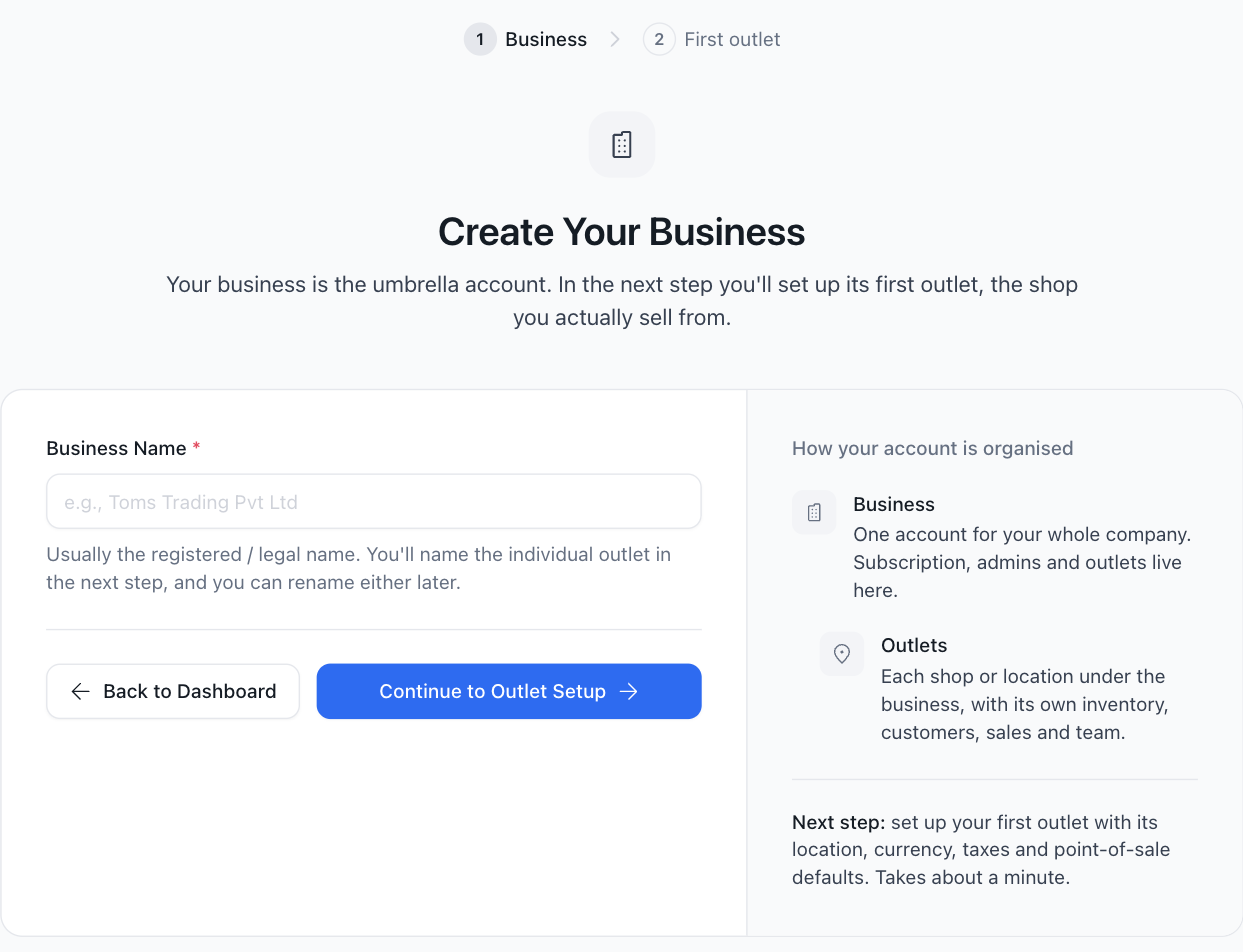
Create your first outlet
Press Continue to Outlet Setup for step two, the outlet itself:
- Outlet name, for example Main Street Shop.
- Address and contact number, which appear on your invoices.
- Currency for pricing and sales.
- Date format, how dates appear on screens and documents.
- Tax details if you charge tax: the tax name, the rate, and your TIN. You can add more tax rates later under Settings.
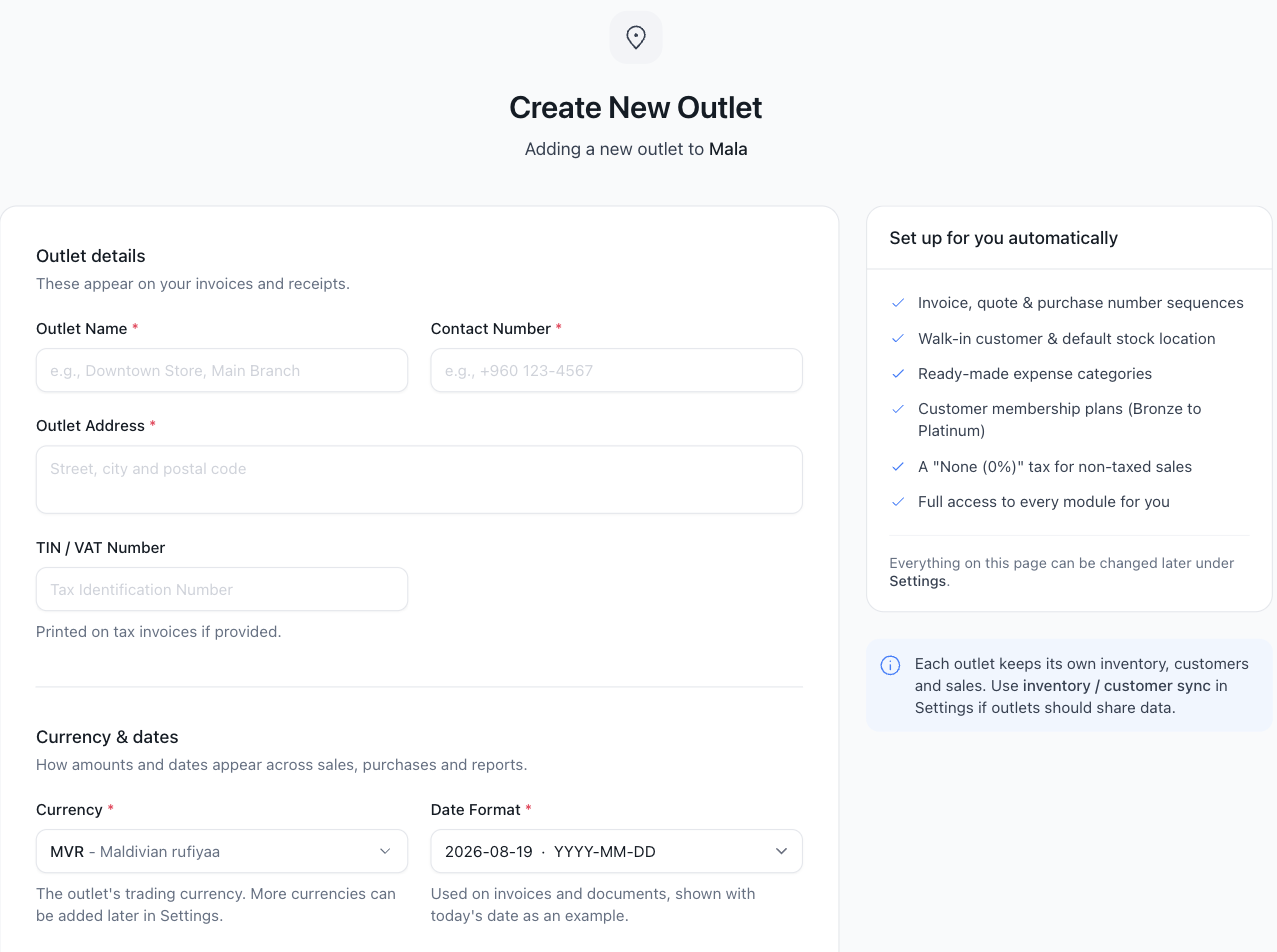
Press create and your outlet is ready. If you have more shops, add them any time from your home screen, and switch between them with Switch Operation in the sidebar. Everything you do next, products, customers, sales, belongs to the outlet you are currently in.