Selling all day tells you that you are busy. Reports tell you whether you are making money, which products carry the shop, and exactly what to declare when your GST filing is due. Everything lives in one place, and every report shows the outlet you currently have selected, so switch outlets first if you run more than one.
Start at the reports home
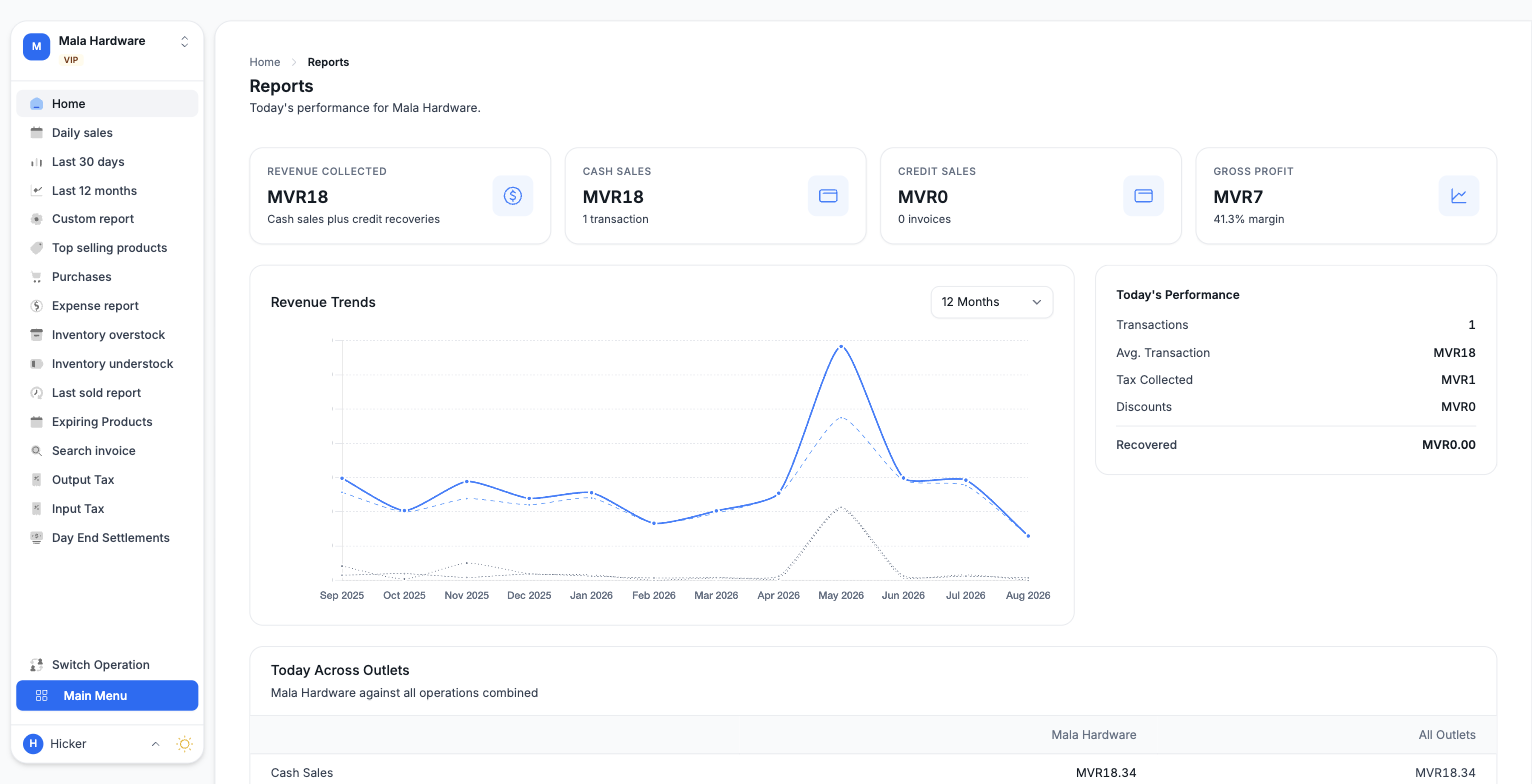
From the Main Menu open Reports. The home page is today at a glance: Revenue Collected, Cash Sales with the transaction count, Credit Sales with the invoice count, and Gross Profit with its margin. Below that, a performance chart tracks revenue over the month, and a comparison table shows how today is going across all your outlets.
Sales reports
- Daily sales covers any single date you pick: revenue totals, a financial breakdown from net sales down to gross profit, payments received by method, and the day's transactions. There is a Download Excel button when you need a copy.
- Last 30 days and Last 12 months show the same story per day or per month, with cash, credit, and recovered amounts side by side.
- Custom report builds a sales report between any two dates, with a transactions table, payments received in the period, and an Excel download. It can also list every sale of one product to one customer.
- Top selling products ranks your best sellers for a chosen period, from today to all time, compared against the previous period.
Inventory reports
- Inventory overstock and Inventory understock compare what you hold against what you sold over a period you choose, from 1 to 36 months, so you can see estimated months of stock left or what you need to buy. Both have a PDF download.
- Last sold report shows, for every product, when it last sold and how much has sold to date.
- Expiring Products lists stock batches soonest first, with a filter for items already expired or expiring within 1, 2, or 6 months. Expired batches carry a red badge.
Full inventory valuation and stock movement reports live in the Inventory module rather than under Reports.
Tax reports, ready for MIRA
The two tax reports produce statements you can submit as they are. Do not reformat them; the layout follows the filing format.
- Open Output Tax for GST on your sales, or Input Tax for tax you can recover on purchases and vendor expenses.
- Enter the start and end dates, or use the quick buttons such as This month or Last quarter.
- Press Generate Report. You get the period totals on screen, including Tax Payable on the output side and Tax Recoverable on the input side.
- Download the Excel file. We build it in the MIRA format, invoice by invoice, ready to file.
One thing worth knowing: the output tax report counts cash and credit sales issued in the period. Payments collected later on credit sales are left out, so the same tax is never counted twice.
Finding one invoice
When a customer calls about a specific bill, open Search invoice and type the reference number to pull up any invoice or quote instantly. And when you want to check how your cashiers closed their registers, Day End Settlements collects every settlement with expected against counted amounts per payment method.